
Robot Voice Generator
Type a line, pick a metallic preset or describe your own machine, and export a clean robot voice MP3. No microphone, no plugins.
Robot Voice Generator – AI Robot Text to Speech | VoiceCloner
Choose or Design Voice
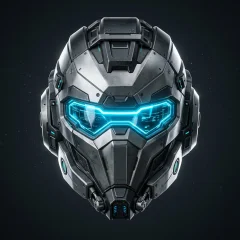
Metallic Combat Robot
In UseDeep, resonant, metallic delivery with heavy mechanized resonance and tactical authority.
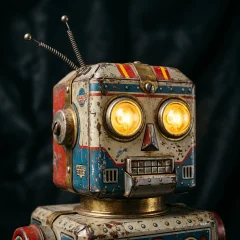
Classic Retro Automaton
Iconic vintage robot voice with vintage vocoder modulation, square-wave buzz, and classic sci-fi cadence.
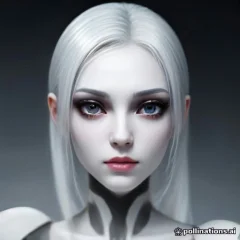
Polite Android Assistant
Sleek, refined female android with crystal-clear enunciation, subtle micro-pauses, and courteous synthetic precision.
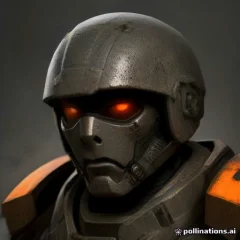
Battle-Worn Combat Mech
Gruff, weathered male war-bot broadcast through military comms with static crackle and gravelly mechanical drive.
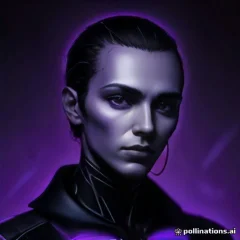
Deep Space Philosopher AI
Velvety smooth baritone AI with contemplative warmth and resonant frequencies that echo cosmic intelligence.
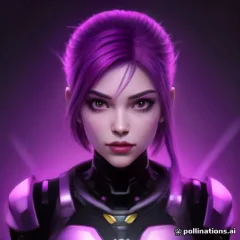
Chrome Cyber Commander
Authoritative female cyborg commander with a resonant low register and sharp, disciplined cybernetic delivery.
Erratic Glitch Bot
Unpredictable, high-frequency service unit with electronic chirps, comical stuttering, and sudden circuit logic jumps.
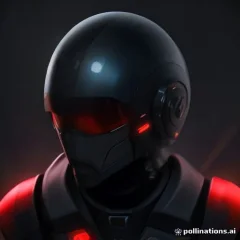
Evolved Cyber Sentinel
Steady, youthful synthetic timbre with clean electronic harmonics, designed for calm surveillance and rapid tactical execution.
Your Voice Library
Turn text into your voice
History
How to Make a Robot Voice
Generate studio-ready voiceovers right in your browser without extra audio plugins.
Select or design a voice
Choose from 8 robotic presets or describe your own machine in the Voice Design tab: a flat assistant, a warm android, or a heavy factory unit.
Enter your script or dialogue
Type or paste your lines into the editor. Add ellipses (...) and punctuation to control pauses and cadence.
Preview & download MP3
Listen to the generated audio in your browser, then export a clean MP3 file straight into your video or game project.
Robot Text to Speech
Write the script, and the robotic delivery comes from the voice itself, not from pitch-shift plugins stacked on a human recording.
No Voice Changer Software Needed
This is a text to speech generator that runs in your browser. You skip the microphone, the vocoder plugin, and the cleanup pass in Audacity.
AI Robot Voice for Games and Videos
Download standard MP3 files and drop them into Unity, Unreal Engine, CapCut, or DaVinci Resolve for NPC barks, ship computers, and robot narrators.
Where People Use Robot Voices
From a single game line to a full sci-fi short, a consistent machine voice carries the scene.
Game NPCs and Ship Computers
Give maintenance bots, security systems, and onboard AIs their own lines without booking a voice actor.
YouTube and TikTok Narration
Use a deadpan robot narrator for explainers, memes, and faceless channels where the voice is the character.
Sci-Fi Shorts and Animation
Voice androids, rogue AIs, and station announcements for fan films and animated shorts.
Cosplay, Props, and Events
Load robot announcements onto a portable speaker for a convention booth, a costume, or a themed party.
Describe Any Robot in Plain Words
Need a different machine? Describe the pitch, pacing, and texture, such as a woman robot voice with a soft synthetic hum, and the model builds it.
Deadpan AI Assistant
“A flat, emotionless synthetic assistant with even pacing, clean consonants, and a faint digital shimmer.”
Warm Domestic Android
“A soft woman robot voice with gentle rhythm, slightly metallic overtones, and polite, careful phrasing.”
Heavy Factory Unit
“A low, grinding industrial machine voice with slow delivery and a hollow metallic resonance.”
Explore Related Voice Generators
Looking for other specialized voice styles and character archetypes?
Creepy Voice Generator
Eerie whispers, cursed dolls, and analog horror broadcast voices for suspense stories.
Monster Voice Generator
Ancient dragons, abyssal demons, liches, and fantasy creatures for tabletop RPGs and indie games.
Character Voice Generator
Fantasy heroes, dramatic villains, and expressive roleplay voices for games and animations.
Read Aloud Studio
Longform article reading, audiobooks, and clear documentary narrations.
Text to Speech
Natural studio voiceovers from text for videos, audiobooks, and podcasts.
FAQ
Frequently asked questions
Clear answers about voice samples, privacy, permissions, and using your voice.
01Can I use a generated robot voice in commercial games and videos?
Yes. Audio generated under any active paid plan includes commercial rights. You can use it in games, monetized YouTube videos, TikTok clips, and apps without extra licensing fees.
02How do I import the robot voice into Unity, Unreal, or CapCut?
Download the MP3 and drag it into your Unity or Unreal asset folder, or drop it on the CapCut timeline. No format conversion is needed.
03Is this a robot voice changer or text to speech?
It is text to speech. You type the line and the robot voice is generated from the text, so you do not need a microphone or a live voice changer app.
04How do I make the voice sound more robotic?
Write short sentences, use full stops instead of exclamation marks, and spell out numbers and codes. A flat, even script reads as more mechanical. You can also describe the machine in the Design tab.
05Can the same robot voice speak other languages?
Yes. Preset voices keep their timbre across languages, so one robot can narrate in English, French, Portuguese, or Japanese.
Build Speech for Your Robot Characters
Pick a robot preset, paste your lines, and preview the audio before you add it to your project.